

The Adobe Commerce Cloud store’s default admin URL is domain_name/admin. It’s always best security practice not to use an easy-to-identify admin URL and instead keep it unique. The app/etc/env.php file has the admin endpoint, but you can’t push this file to the Adobe Commerce Cloud server. We’ll walk you through the steps to change your Adobe Commerce admin URL from the cloud console.
We are going to discuss two different methods for changing the default admin URL in Magento 2.
Change from Magento Admin
You can change the admin URL from the Magento 2 admin. Follow the below steps for that.
Step 1: Navigation to Magento 2 Admin > STORES > Configuration > ADVANCED > Admin
Step 2: Expand the “Admin Base URL” tab.
Step 3: Set Yes to “Use Custom Admin URL” and “Use Custom Admin Path” and insert your custom admin URL. Check the screenshot below to know how that setting looks in the admin.

Change from Adobe Cloud Console
One more efficient way to change the admin URL is using the environment variable. You only have to add ADMIN_URL environment variable to the cloud console, and that’s it.
Below are the steps to add the ADMIN_URL to Adobe Commerce Cloued.
Step 1: Log in to your Adobe Commerce Cloud Console.
Step 2: Select an environment, for example production or staging, for that you want to update the admin URL.
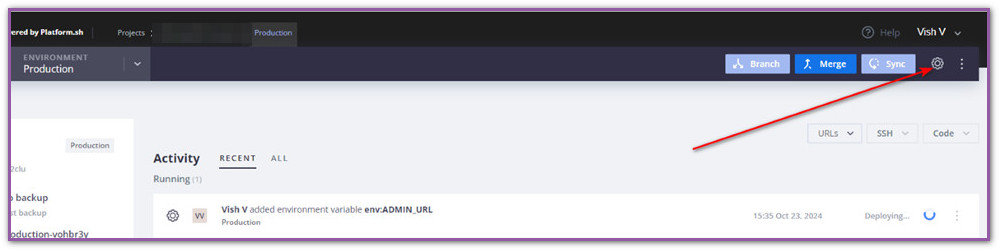
Step 3: Open the settings for that environment.
Check the screenshot below to know how to open project settings.
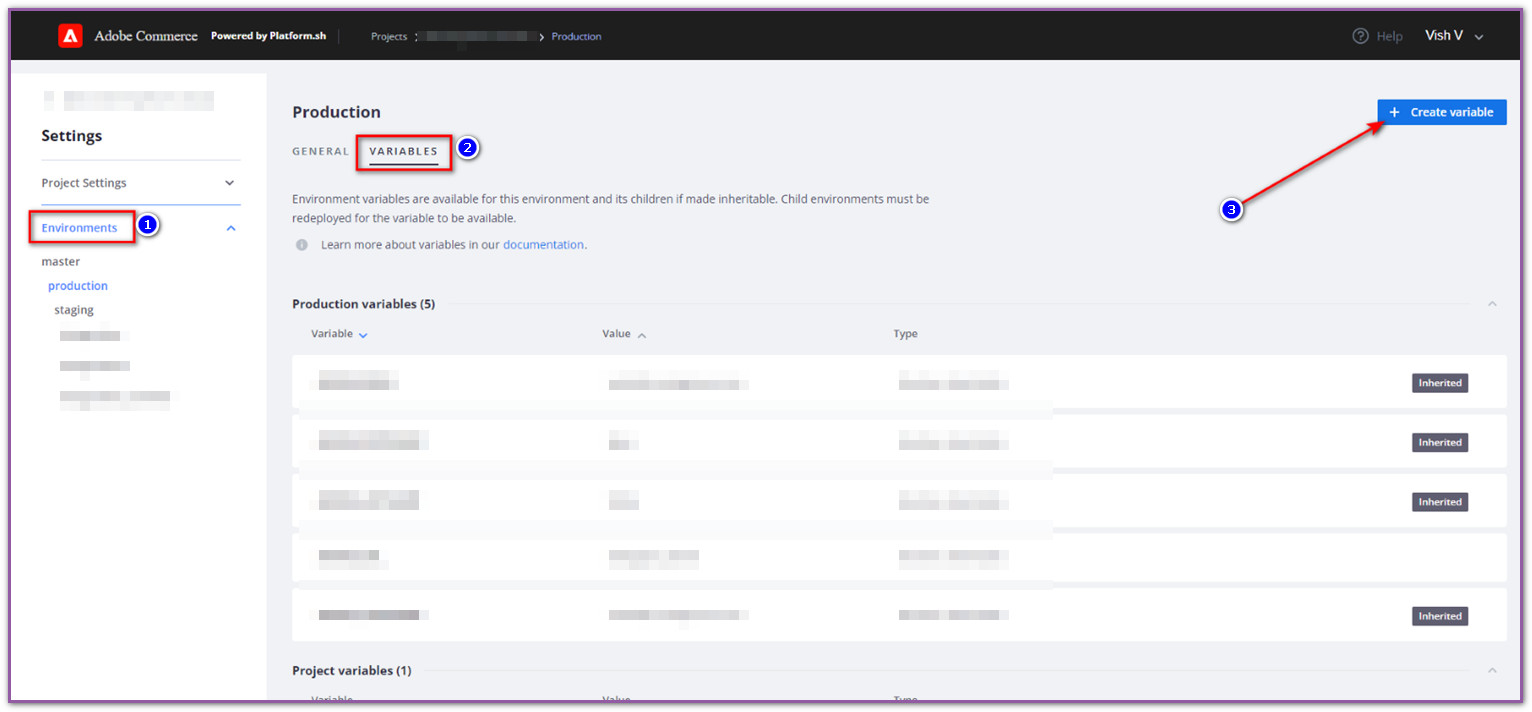
Step 4: Then, create a new environment variable, as shown below
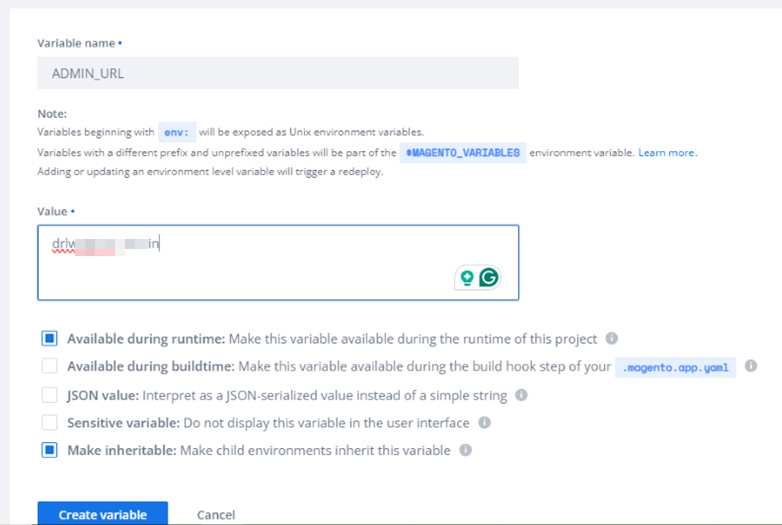
As soon as you create the new environment variable, it redeploys the environment, and once the deployment is finished, you can access admin using the new admin URL.