

Sometimes you notice the categories can’t be accessed from the Magento 2 website front-end, and you realize that this is due to The URL Rewrites Rule for that category being missing at Magento Admin > MARKETING > SEO & Search > URL Rewrites.
There are many reasons behind this issue, some of which are listed below.
– URL rewrites were deleted after the Magento version upgrade.
– Created a new store, and categories URL rewrites are not created for those new stores.
– Sometimes, mistakenly, you removed the URL rewrites rules.
– And so on.
Here, however, we demonstrate how to quickly and simply generate URL rewrites for every category without the need for any third-party modules or modifications.
Steps to recreate URL Rewrites for categories and products in Magento 2
Step 1: Log in to the Magento 2 admin and navigate to CATALOG > Categories.
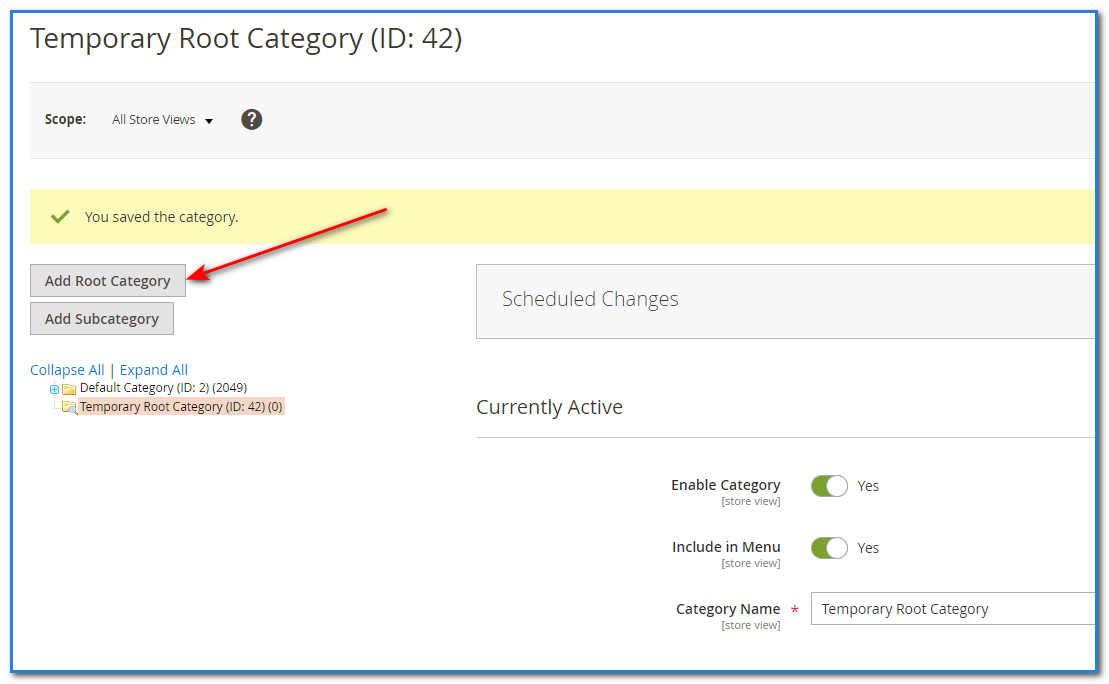
Step 2: Create one temporary root category by clicking on the “Add Root Category” button.
Step 3: Then navigate to STORES > All Stores
Step 4: Edit a store for that you want to regenerate URL Rewrites rules.
Step 5: Then select that temporarily created root category in the “Root Category” and hit Save Store.
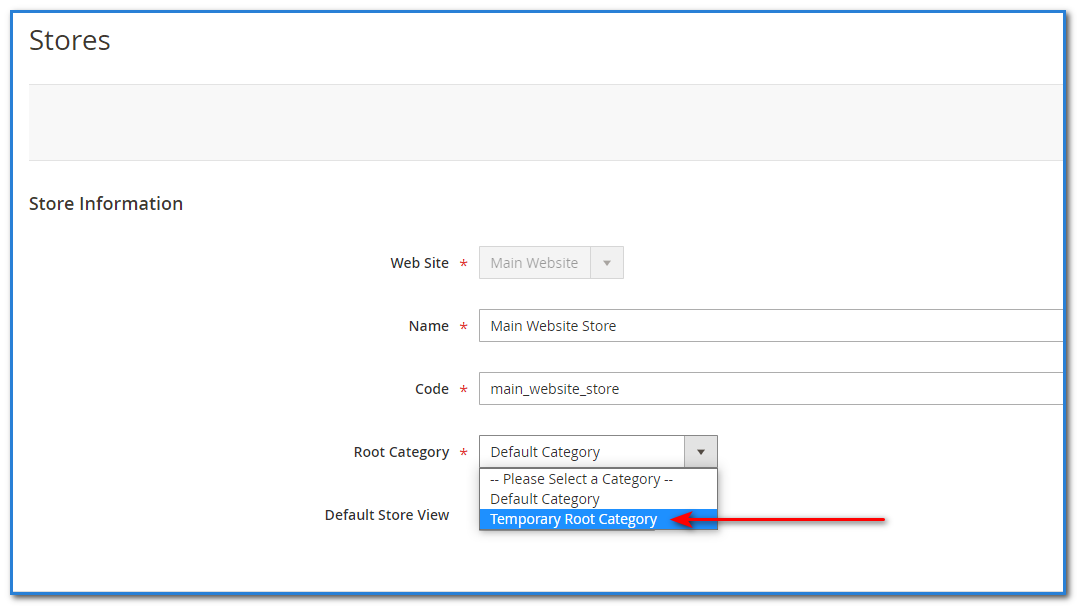
Step 6: Again edit that same store and select your original root category in the “Root Category” and hit Save Store.
Depending on how many categories your business has, saving store settings takes some time. When it’s done, you can view all of the URL rewrites that have been made for each category.
Important Note: Please keep the following points in mind before you follow the above steps; otherwise, the URL Rewrite will not be generated.
- Categories and products status should be enabled.
- “Include in Menu” is enabled for all categories.
That’s all you have to do to recreate the Magento URL Rewrite rules in Magento 2 for existing categories.
Check our blog post “How to Remove Category Filter from Layered Navigation in Magento 2”.