

Magento 2 requires a postal code on both customer account address forms and the checkout process. However, some business models do not require zip codes, such as selling virtual or downloadable products or providing only store pickup shipping. In this case, merchants can easily make zip code as an optional field from the Magento 2 admin. No customization or extension is required for this; you can do it only from the admin settings!
Steps to Make Zip Code Optional In Magento 2
Step 1: Navigate to Magento Admin > STORES > Configuration > GENERAL > General > Country Options
Step 2: Here, you can see the “Zip/Postal Code is Optional for” field. Check the screenshot below for reference.
Select the countries for which you want to make the zip/postal code optional, then save your selection.
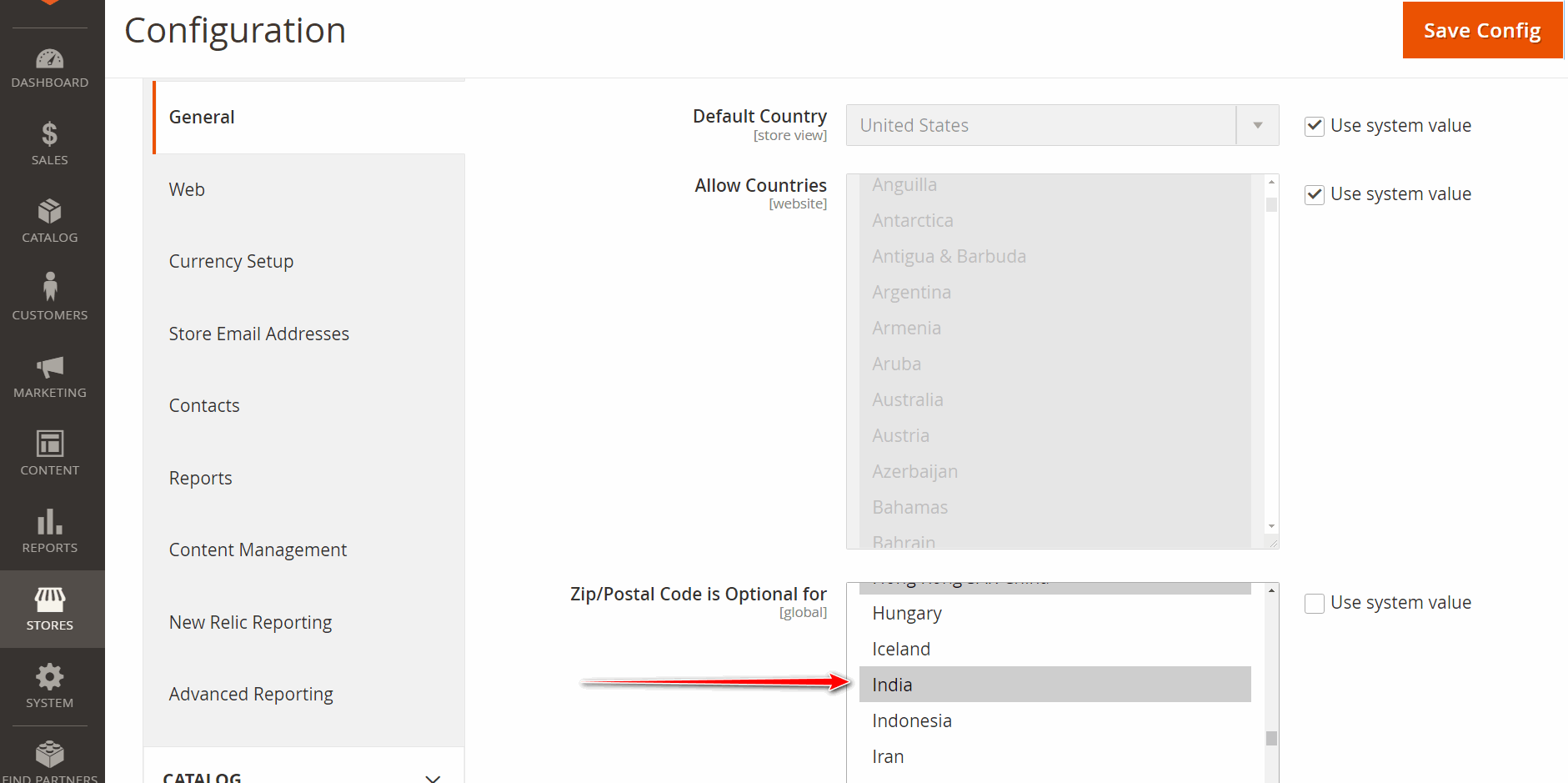
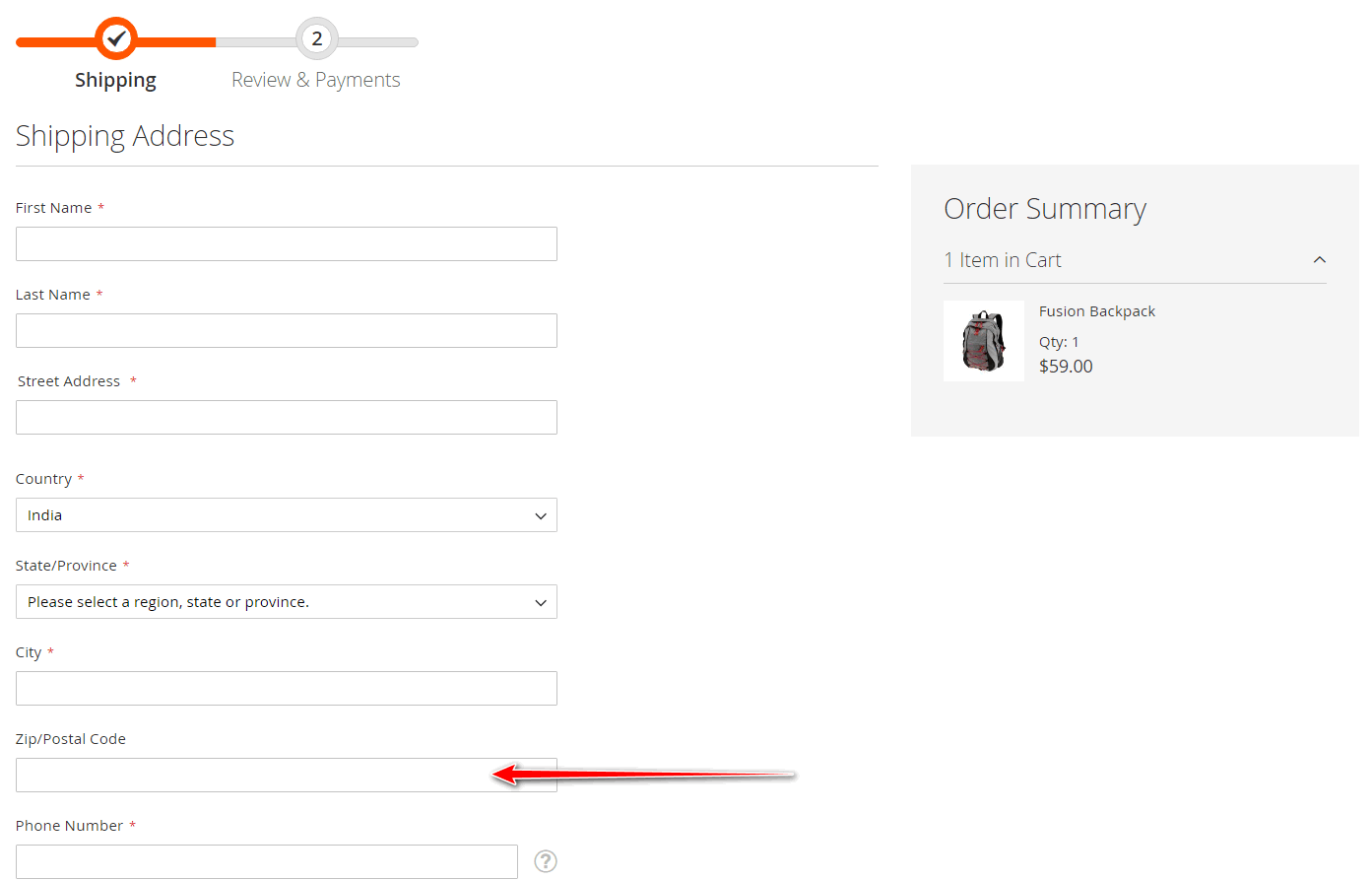
You can refer to the screenshots above, which show that we have made the zip code optional for India. When you choose India as the country on the checkout page, you will notice that the mandatory validation for the zip code is removed, allowing users to place an order without providing a zip code.
Below is the output on the checkout page after making the zip code option for India.
Removing unnecessary barriers at the checkout can enhance your customers’ experience, leading to higher conversion rates and a more user-friendly shopping experience.
If you want to remove the company field from the Magento checkout, check out our blog post on “How to Remove Company Field from Checkout in Magento 2”